
How do I install Boxpressd Social?
Unfortunately, similar apps are no longer allowed on Apple's App Store or Google's Play store. To download Boxpressd as a native app to your mobile device to use like any other app, you can follow these steps:
Android
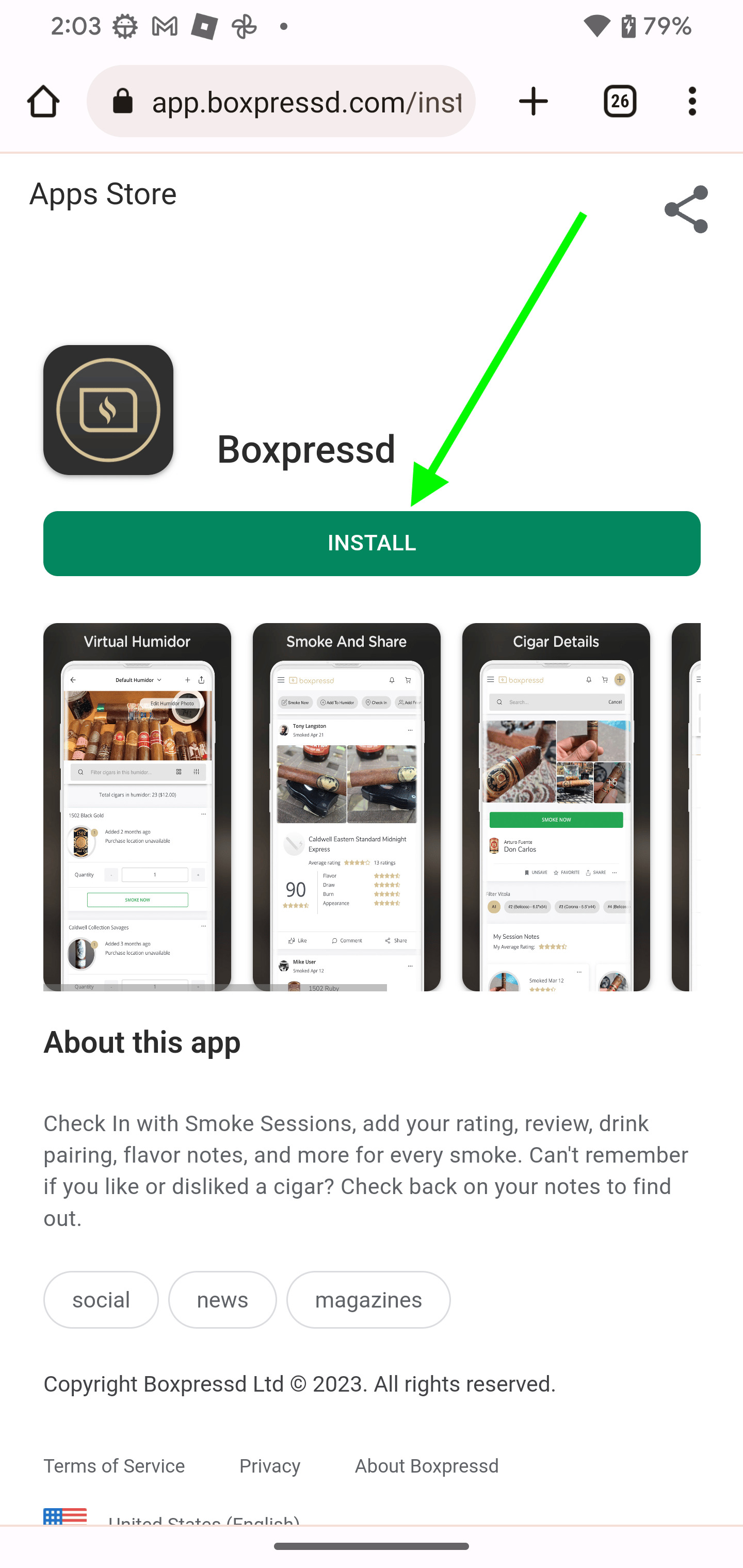
Step 1: Visit https://bxpr.sd/install
Step 2: Tap the "Install" Button
Step 3: Once the next window comes up, tap the "Install" Button
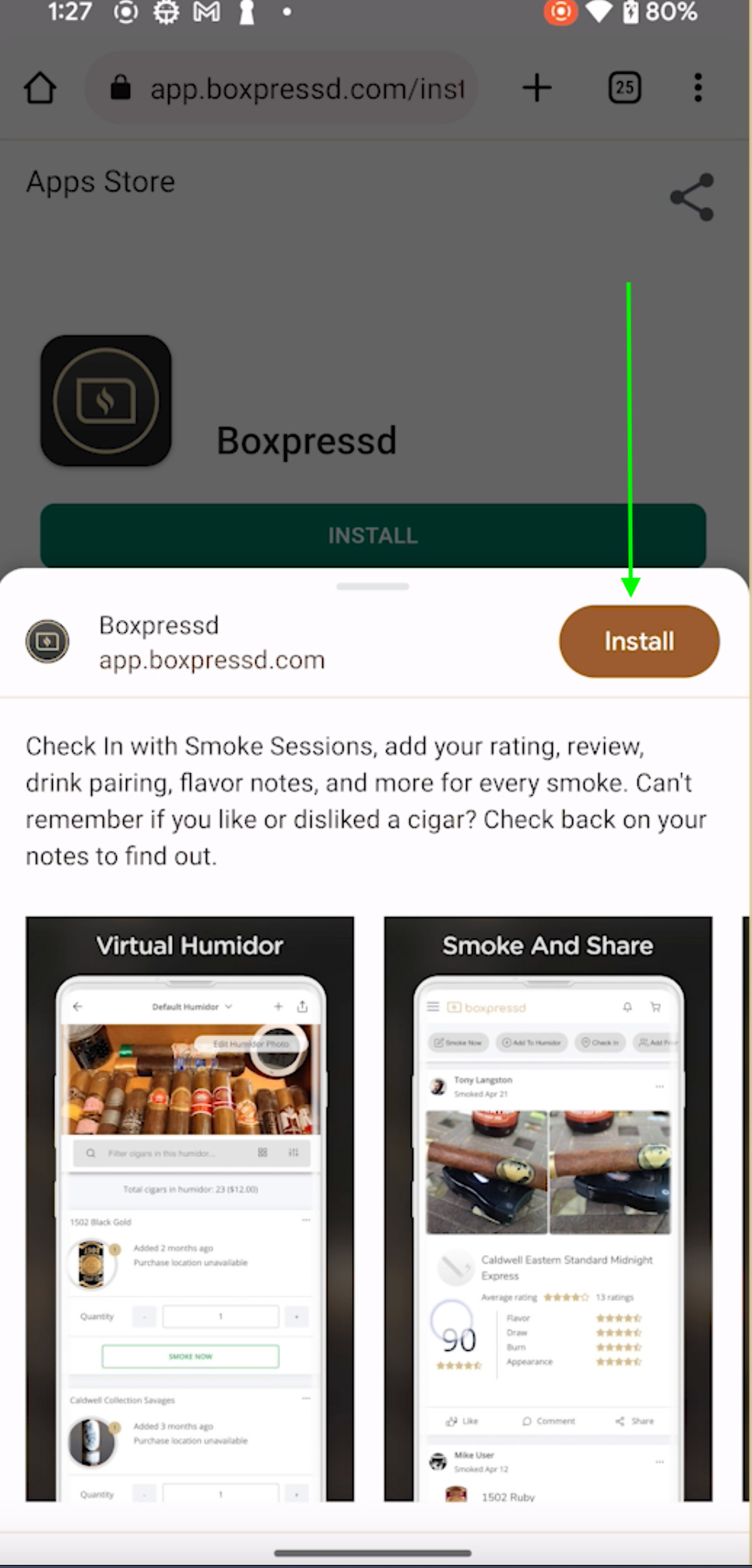
Step 4: Done
*Note for Step 2: Depending on your browser, you will either see a direct "Install" button (as shown above) or an arrow pointing to your settings menu. If you see the "Install Now" button, simply tap it and follow Steps 2 - 4 above.
If your browser shows the arrow pointing to the settings menu, follow the next steps.
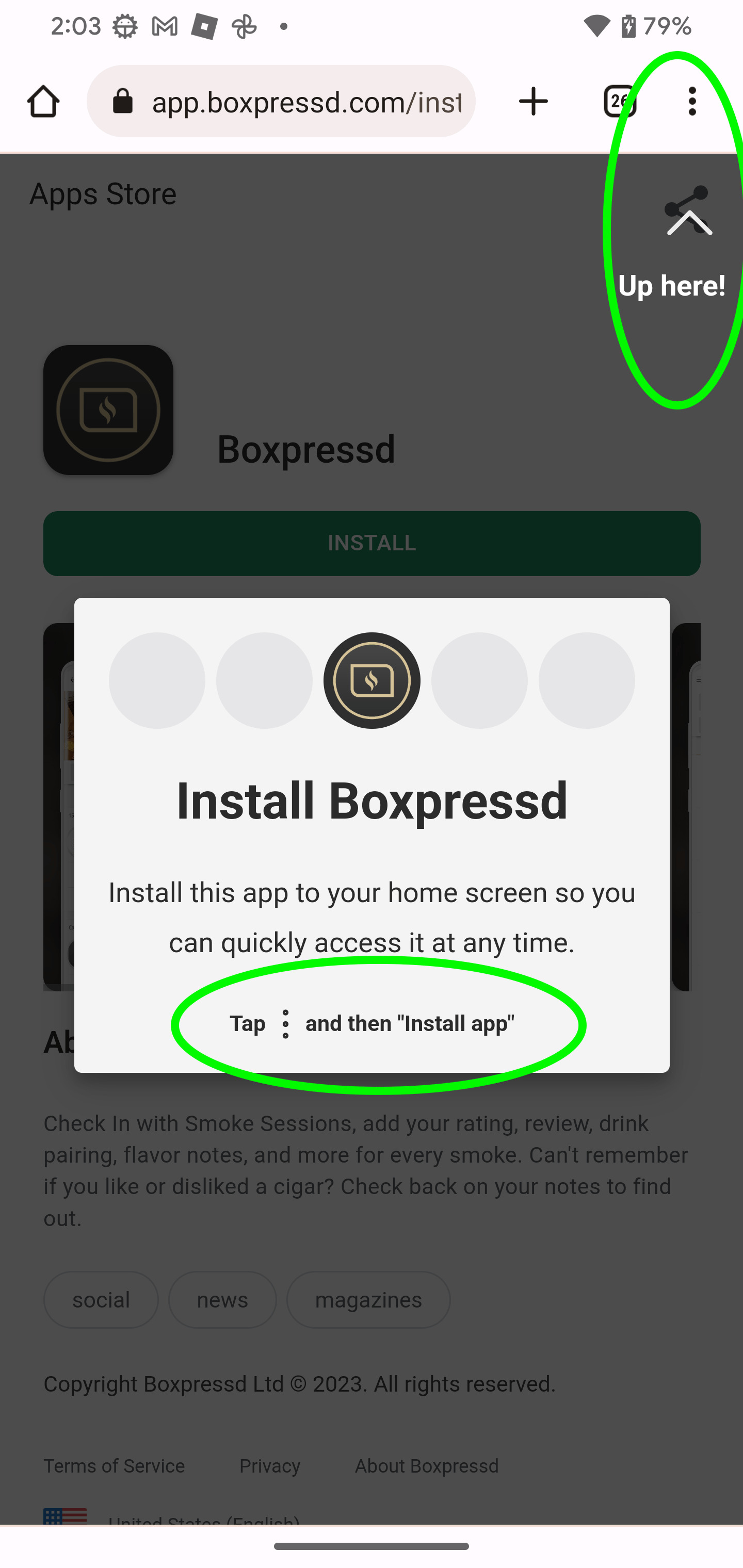
Step 3: Tap on the settings menu (3 dots)
Step 4: Tap "Install App"
That's it! The Boxpressd Social cigar app is now added to your home screen as a native app.
iOS
Step 1: Visit https://bxpr.sd/install
Step 2: Tap the "Get" Button
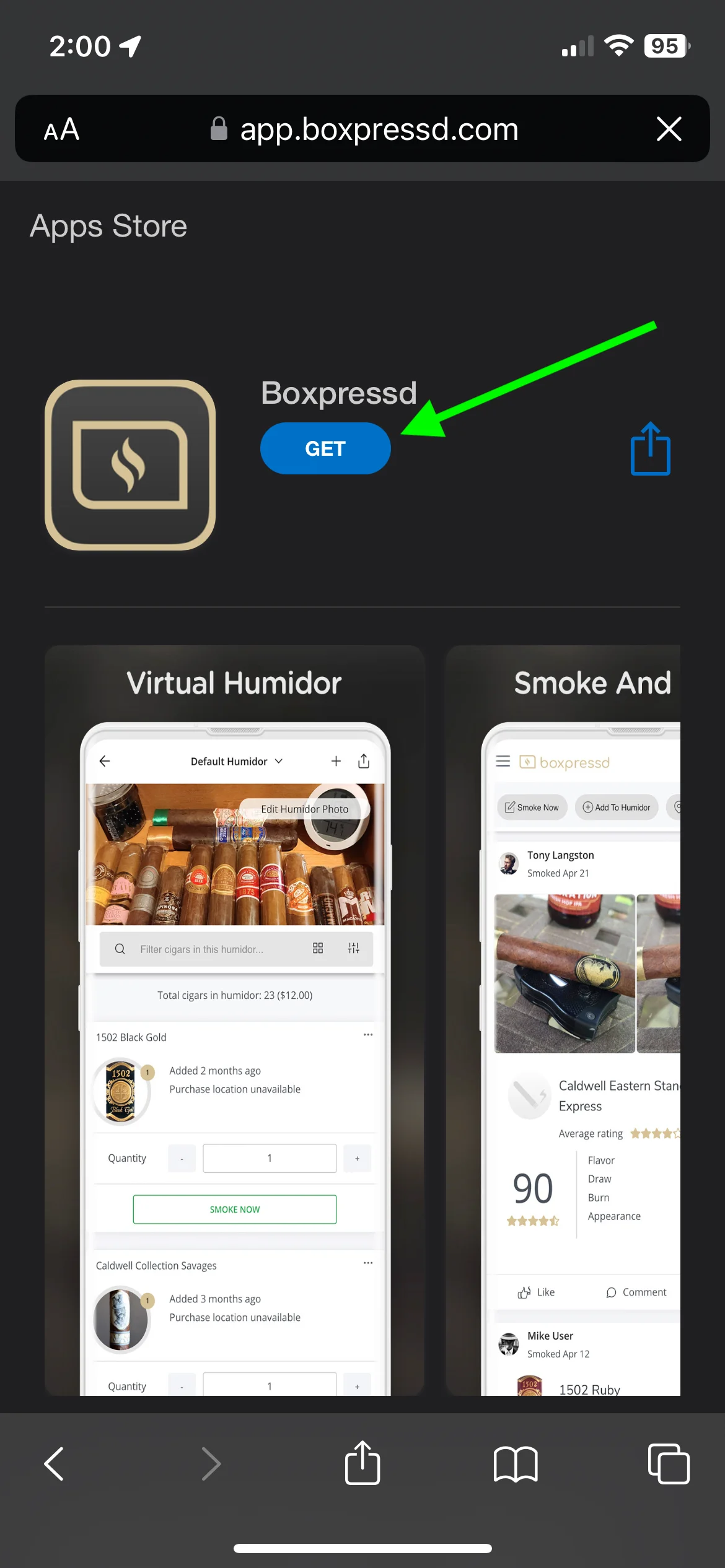
Step 3: Tap the Share Icon
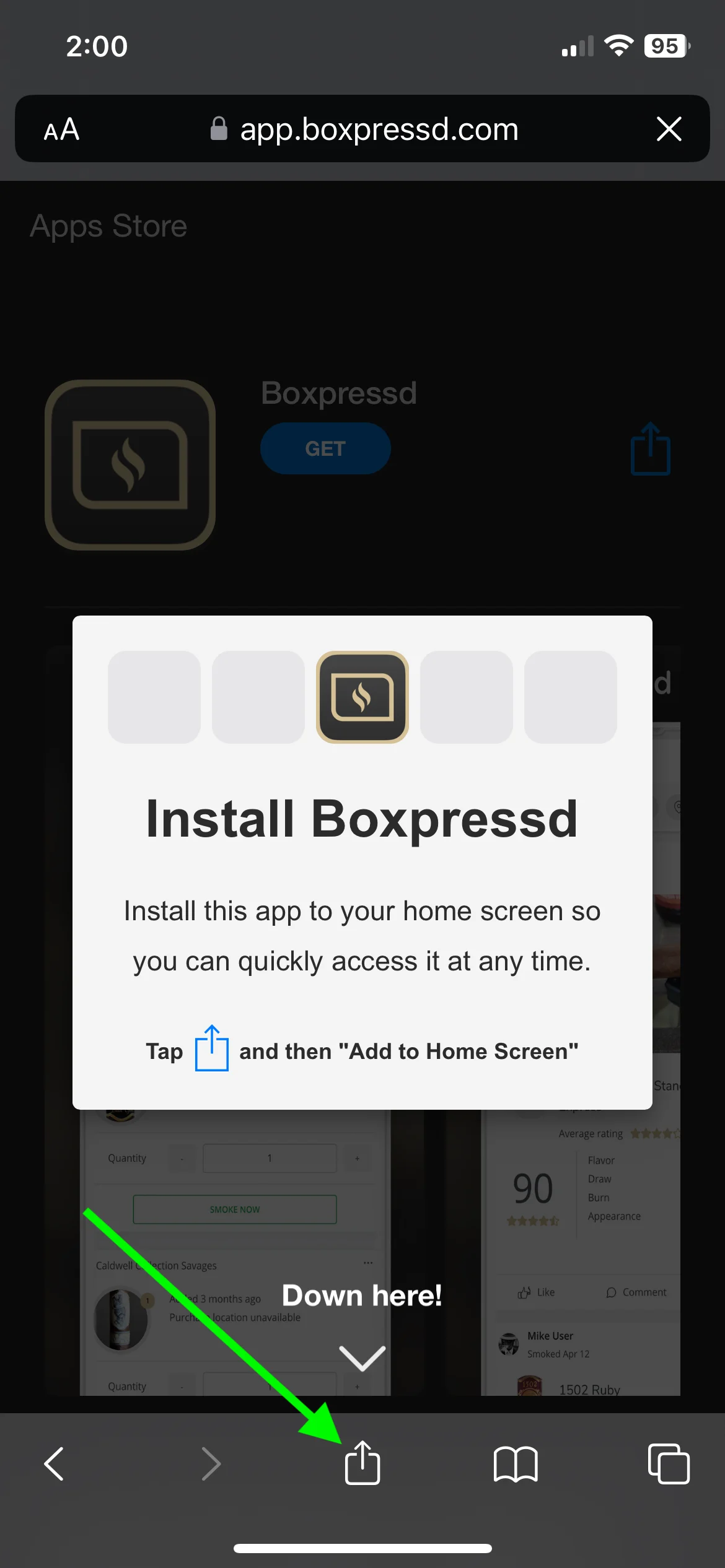
Step 4: Scroll down the list...
Step 5: Tap "Add to Home Screen"
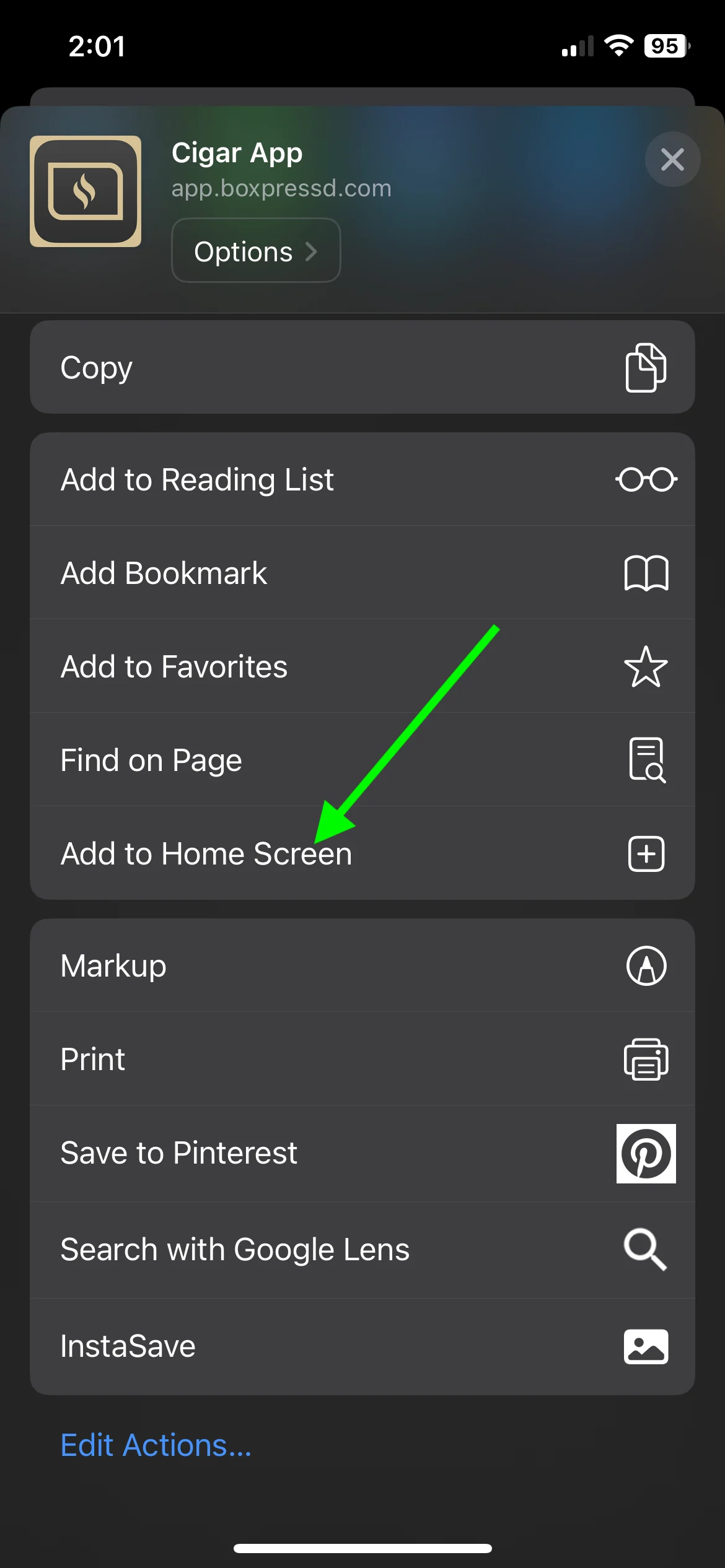
Step 6: Tap "Add"
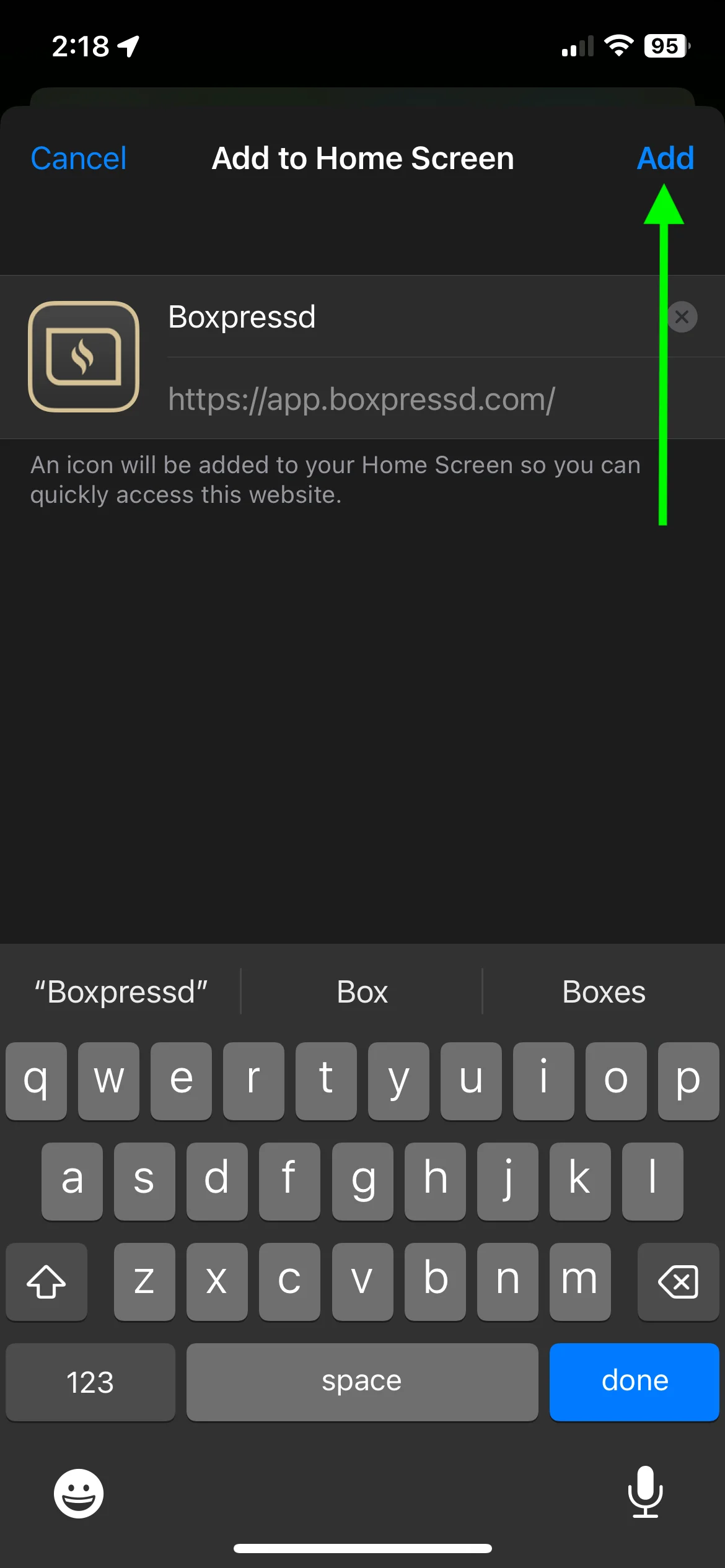
That's it! The Boxpressd cigar app is now added to your home screen as a native app.
Was this article helpful?